
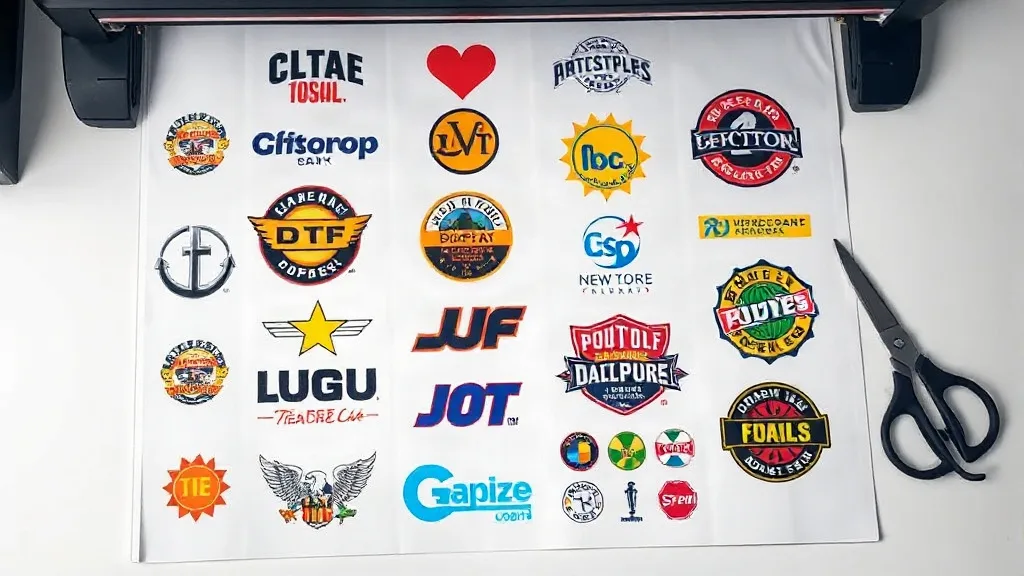
If you run a small print shop, an online store, or a busy hobby studio, you already know that transfer costs can eat into your margins. Ordering individual DTF transfers for every design adds up quickly, especially when you have a mix of small logos, text, and full-color graphics. That is where the DTF Gangsheet comes in. By grouping multiple designs onto a single sheet, you pay for one print run instead of many, and you get more flexibility in how you use the transfers. In this article, we will look at what a gangsheet is, why it matters for your bottom line, and how to set one up so you get the most value from every order.
What Is a DTF Gangsheet?
A DTF gangsheet is a large sheet of DTF film that holds several designs printed together in one go. Instead of sending each artwork as a separate order, you arrange them on a single canvas, and the printer produces them all at once. The sheet is then powdered with adhesive and cured, ready to be pressed onto garments. The key advantage is efficiency: you use the full width of the film, reduce waste, and lower your per-transfer cost. Whether you need ten small chest logos or a mix of sizes for a team order, a gangsheet lets you combine them into one economical print.
Why Gangsheets Make Sense for Your Bottom Line
Let’s break down the numbers. Suppose you order 50 individual transfers at $1.50 each. That is $75. Now imagine you fit those same 50 designs onto a gangsheet that costs $30. You have just saved $45, and you still get the same quality. The savings grow as you add more designs. Beyond cost, gangsheets save time: one order, one shipping fee, and one press setup for multiple jobs. That means you can take on more orders without increasing your overhead. For businesses that offer custom apparel, this can be a competitive edge.
How to Build an Effective Gangsheet Layout
Creating a gangsheet is not just about cramming as many designs as possible. A thoughtful layout ensures clean cuts, easy pressing, and minimal waste. Here are some guidelines to follow:
- Group by size and color: Place similar-sized designs together to make cutting easier. Keep light and dark colors separate if you plan to press them onto different fabric colors.
- Leave breathing room: Add at least 0.25 inches between designs. This prevents ink from bleeding and makes cutting cleaner.
- Use the full width: Most DTF film comes in standard widths (e.g., 13, 17, or 22 inches). Rotate designs if needed to fill gaps.
- Consider the grain: If your designs have text or fine details, keep them oriented in the same direction to avoid confusion during pressing.
Many print shops provide templates or online tools to help you arrange your gangsheet. If you are ordering from a service, ask for their recommended file setup to avoid delays.
Common Mistakes to Avoid with DTF Gangsheets
Even experienced users can slip up when preparing a gangsheet. Watch out for these pitfalls:
- Overcrowding: Trying to fit too many designs can lead to cut lines that are too close, making it hard to separate transfers without damaging them.
- Ignoring bleed: Designs that touch the edge of the sheet may get cut off. Always leave a margin.
- Forgetting about fabric compatibility: DTF works on cotton, polyester, and blends, but some fabrics require different pressing parameters. Group designs by fabric type if possible.
- Not checking the proof: Always review a digital proof before printing. A small error in layout can waste the entire sheet.
Maximizing Value: Tips from the Press
We have seen thousands of gangsheets go through our presses, and the most cost-effective ones share a few traits. First, they use standard sizes that fit common garment placements. Second, they include a mix of designs that can be used across multiple orders, so you are not stuck with transfers you cannot sell. Third, they are stored properly: keep unused transfers in a cool, dry place away from direct sunlight to maintain adhesive quality. Finally, consider ordering gangsheets for your best-selling designs in bulk. The per-unit cost drops significantly, and you always have inventory ready for rush orders.
DTF Gangsheet vs. Other Transfer Methods
How does a gangsheet compare to screen printing or vinyl? Screen printing requires separate screens for each color, which is costly for small runs. Vinyl is great for simple one-color designs but struggles with complex gradients. DTF gangsheets handle full-color, photographic designs with ease, and they work on a wide range of fabrics. For short runs and multi-design orders, gangsheets are often the most economical choice. They also eliminate the need for weeding and masking, saving labor time.
Frequently Asked Questions
Can I mix different designs on one DTF gangsheet?
Absolutely. That is the whole point. You can combine logos, text, and graphics of various sizes on a single sheet, as long as they fit within the printable area. Just ensure each design has enough spacing for clean cutting.
What file format should I use for my gangsheet?
Most printers prefer high-resolution PNG files with a transparent background, or vector files like PDF or AI. Check with your specific service for their requirements. A resolution of 300 DPI at actual size is standard.
How long does a DTF gangsheet last?
When stored properly in a cool, dry place, DTF transfers can last up to a year or more. Once pressed onto a garment, the print durability depends on washing: turn the garment inside out and wash in cold water to extend life.
Do I need special equipment to press a gangsheet?
A heat press is recommended for consistent results. You will need to cut out each design from the sheet and press it at the temperature and time specified by your transfer supplier. A home iron can work in a pinch but may not provide even pressure.
Can I reuse a gangsheet after cutting?
No, once you cut out the designs, the remaining film cannot be reused. That is why planning your layout carefully is important to minimize waste.
Whether you are a seasoned pro or just starting with DTF, gangsheets offer a practical way to manage costs and streamline your workflow. Give them a try on your next order and see the difference in your bottom line.